Free Shipping – Store Wide
Laptop Screen Extender, 14" Portable Monitor, 1080P FHD Triple Monitor Extender for 13"-17.3" Laptop, HDMI/USB-C for Macbook, Windows, Chrome, Switch, Plug & Play
Laptop Screen Extender, 14" Portable Monitor, 1080P FHD Triple Monitor Extender for 13"-17.3" Laptop, HDMI/USB-C for Macbook, Windows, Chrome, Switch, Plug & Play
A$173.10
Availability:
-
This item is currently not available
Product details
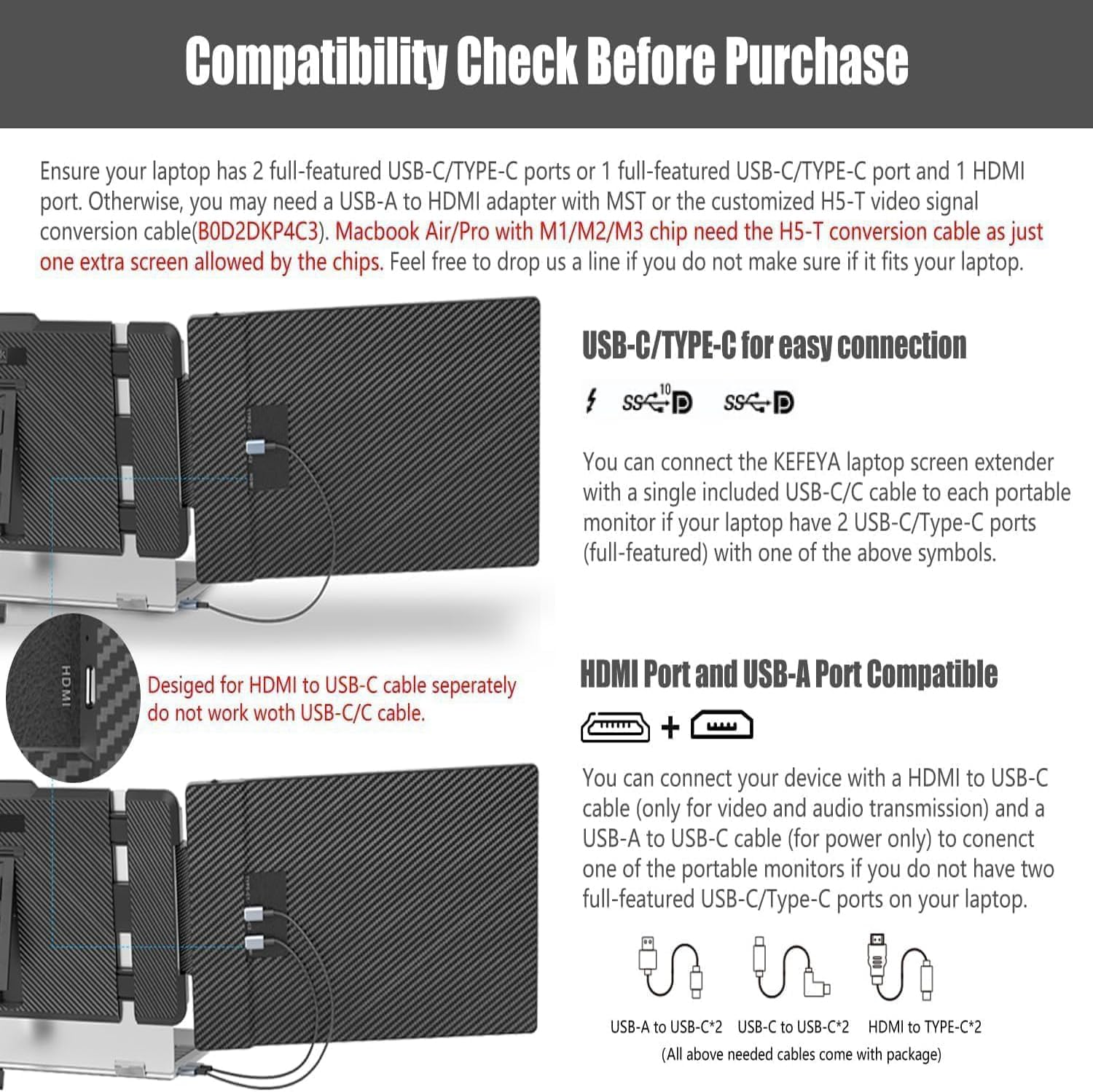
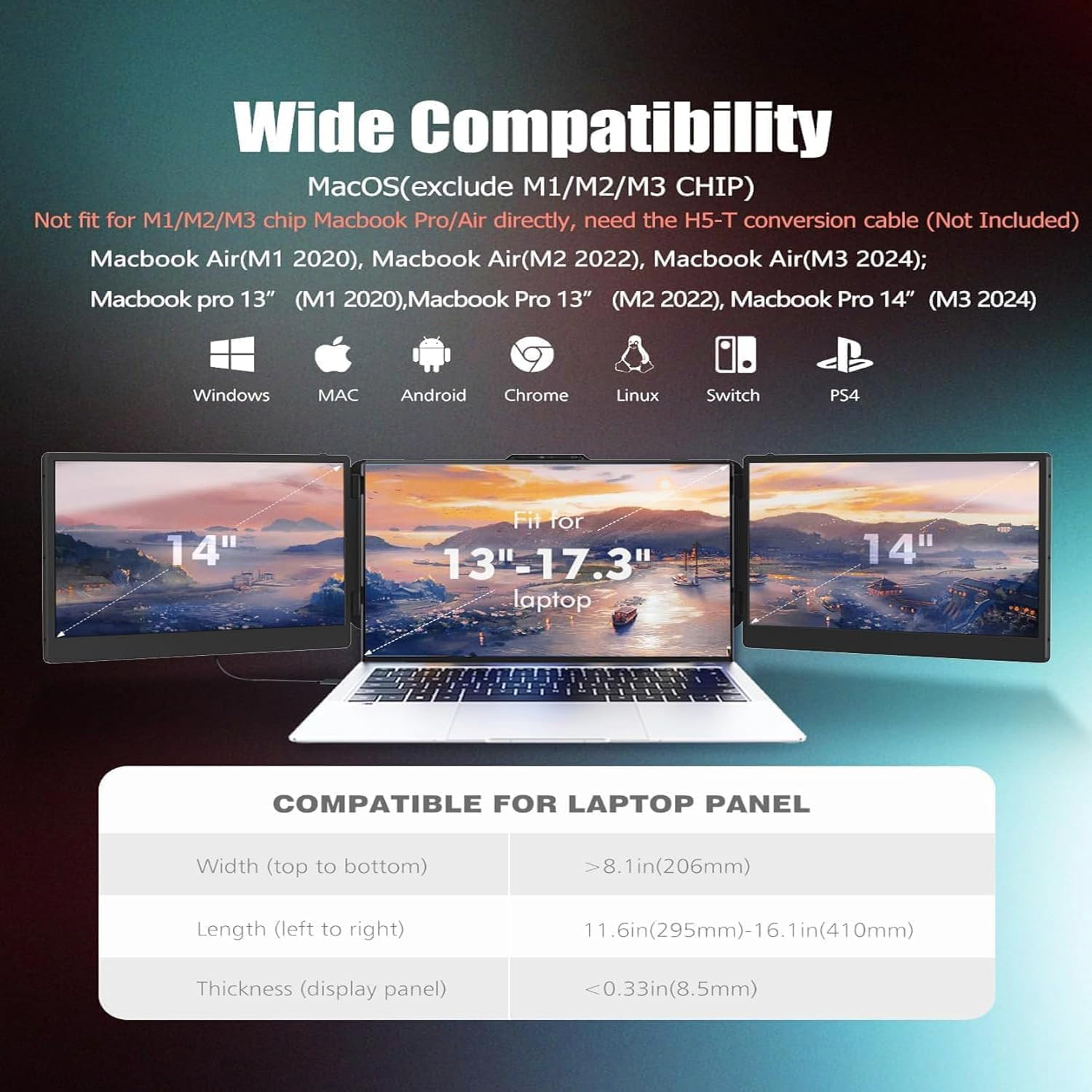
- ➤【Broad Compatibility & Easy to Set up】The triple laptop screen extender is driver-free and plug &play. The laptop portable monitor supports wide range of devices & operating systems, including Intel, AMD, ARM, Android, Windows, Mac, Chrome, Linux, full-featured Type-C phones, PS4, Xbox, Switch and other processors. Not for M1/M2/M3 Chip Macbook Pro/Air directly, need buy a customized H5-T video signal conversion cable. Only two full-featured Type-C ports (or a full-featured USB-C port and a HDMI port & a USB-A port) are needed to connect both screens.
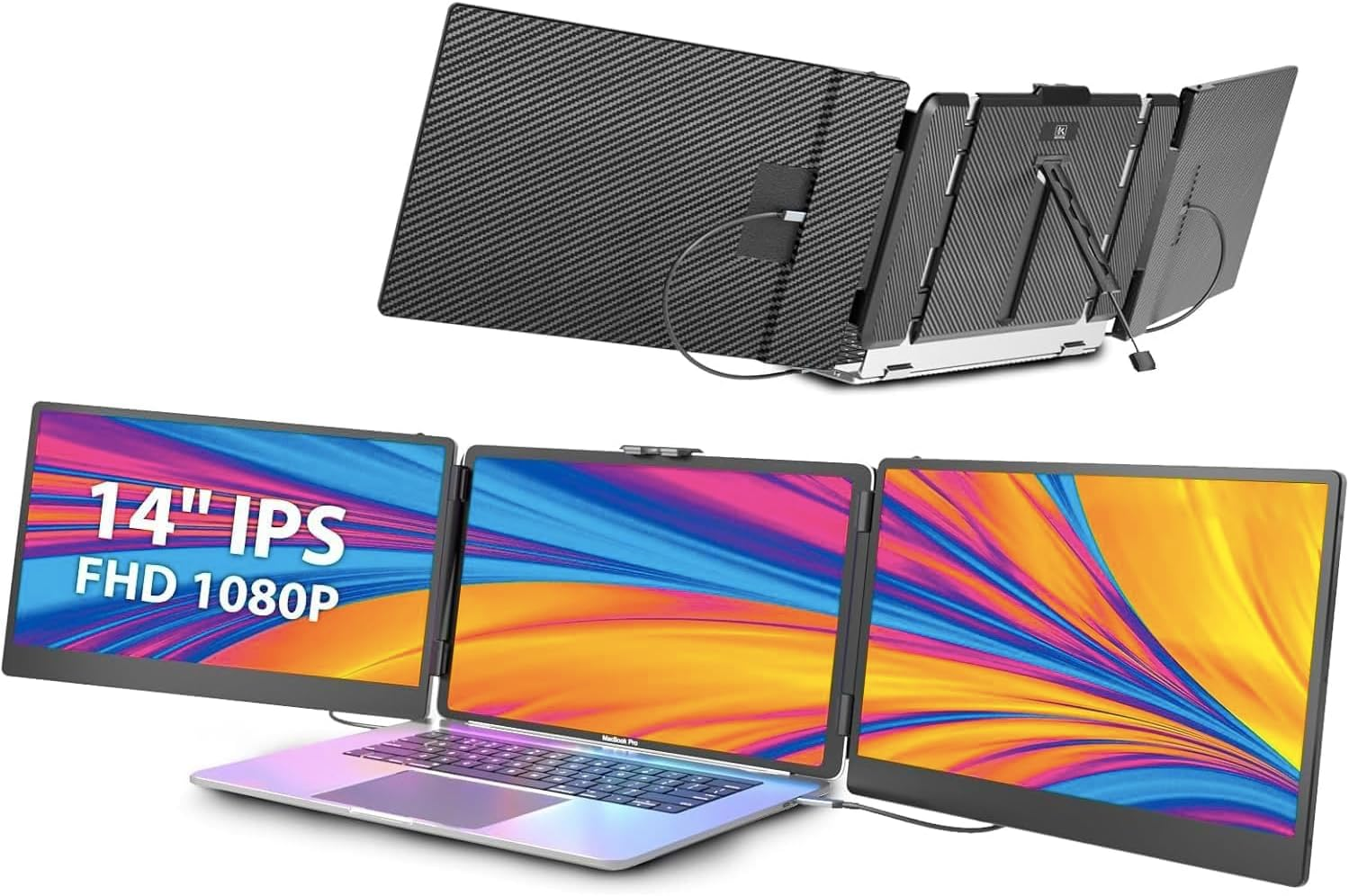
- ➤【1080P FHD IPS Panel for Great Image Quality】With 1080P FHD IPS panel, the 14’’ laptop triple screen extended monitor offers you 16.7M color, 300 nit brightness, 72% NTSC color gamut, and 1:1000 contrast ratio, bringing you a clearer and more true-to-life picture. with a blue light filter, anti-glare technology and brightness-adjustable function to prevent long-term eye fatigue. Simply adjust the RGB, brightness, contrast, etc. by the button on panel based on your viewing preferences.
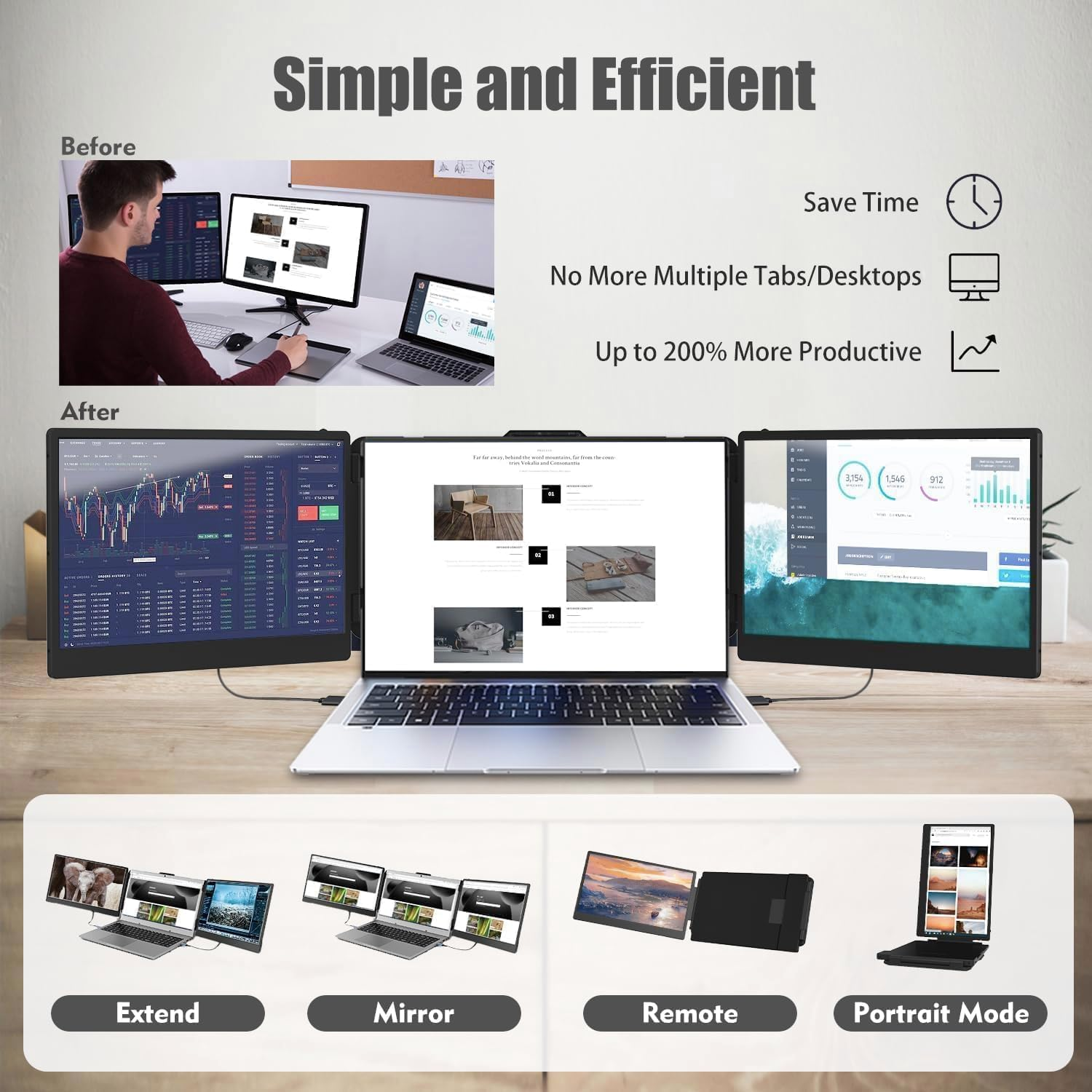
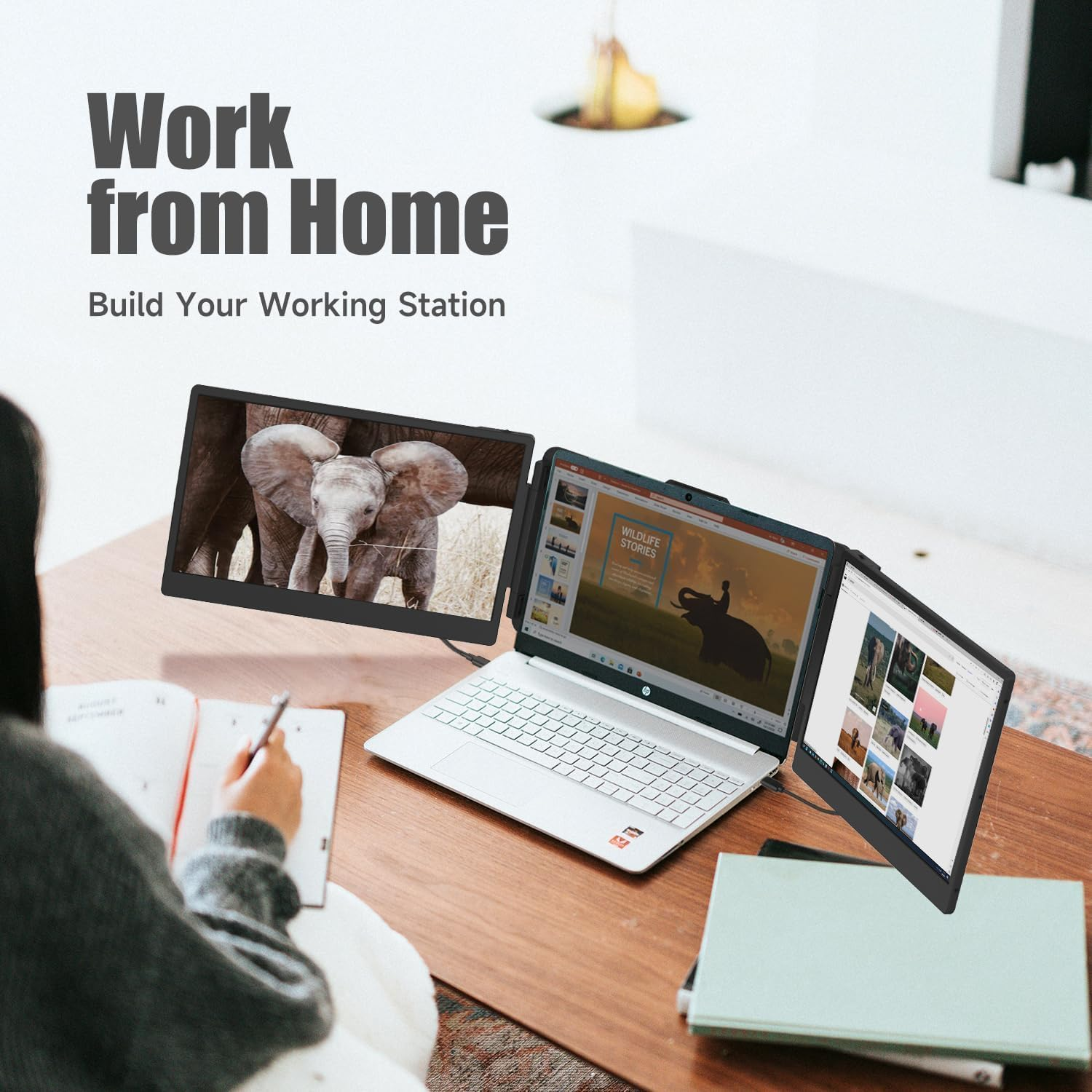
- ➤【Extend Your Laptop to Triple Screen】PTEROMYS portable laptop extended monitor provides you with multi-screen simultaneous and multi-screen differential display. Plug & play portable laptop extender monitor turns your laptop screen to triple monitor in several seconds. Quickly builds a personal mobile triple screen portable laptop workstation for daily work and improves work efficiency by up to 300%. It is a professional laptop screen extender for triple monitor display.
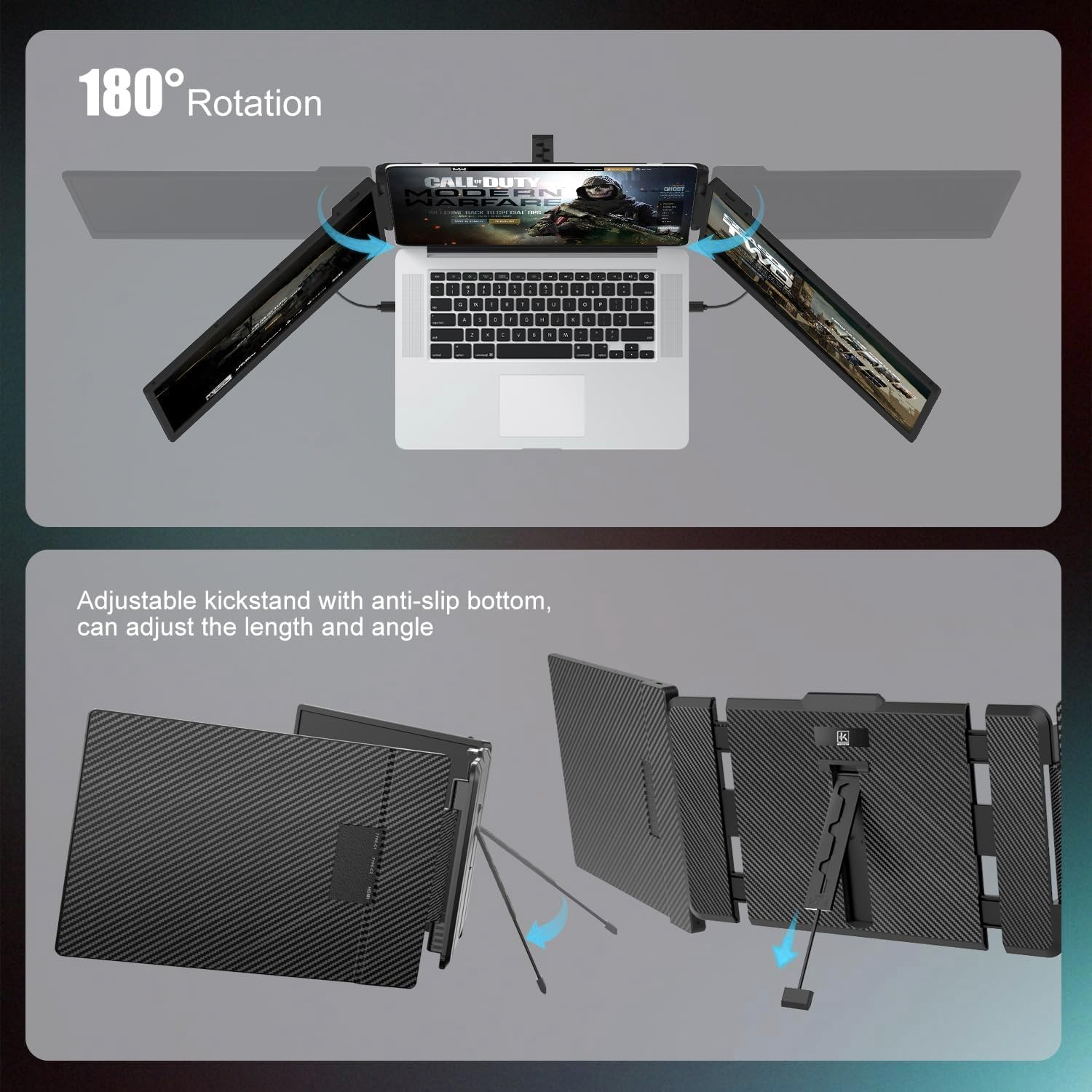
- ➤【Easy to Use and Full Accessories Included】The laptop screen extender monitor can extend or mirror your laptop screen, you can adjust the screen OSD, font size, volume of the built-in speakers. Rotate the monitor 0 to 180° or take it down for your meetings, presentations to share the same laptop screen content. Package includes all needed accessories: 2 Type-C to Type-C cables(video & power), 1 HDMI to Type-C cables(video only), 2 USB-A to USB-C cables(power only), 1 premium leather carry bag.
- ➤【Ingenious Design for Convenient Use】 PTEROMYS triple monitor for laptop comes with a stable expandable kickstand, which supports adjustable angle for the viewing demands. It's lightweight & foldable, making the monitor extension for laptop perfect for on-the-go productivity. In addition, the portable laptop monitor extender supports two connection options: full featured USB-C cables & HDMI to USB-C+USB-A to USB-C cables. Should buy a customized H5-T video signal adapter if your laptop doesn't have enoght video ports.
Product Description
Why Choose PTEROMYS 14" Portable Monitor for Laptop Screen Extender?
- Build your workstation anywhere & anytime: Easy to fold and carry, not limited by time and space, you can quickly create your own personal laptop workstation anytime, anywhere, a good companion for remote workers traveling.
- Increase work efficiency by up to 300% & Save Time:monitor extension for laptop can extend or mirror your laptop's content so you can open multiple tasks at the same time, don't need to continuously switch back and forth your work content on a single laptop screen, save lots time for you.
- Exceptional display performance: with a maximum resolution of 1920x1080P, 16:9 aspect ration, 60Hz refresh rate, 300nit brightness, 72% NTSC color gamut, and a wide 178° IPS wide viewing angle, the laptop monitor delivers vibrant colors and a wide field of vision. Adjustable brightness to your prefer ence with its 0-300 level adjustment, immersing yourself in rich visuals.
- No Driver Needed: comes with every cable needed, just need to connect the portable screen for laptop via USB-C or HDMI and USB-A directly without any additional driver download.
Important Note: The laptop screen extender can not directly fit for M1/M2/M3/M4 Chip MacBook Air/Pro, need buy the customized H5-T adapter.
Use 2 USB-C to USB-C cables connection:
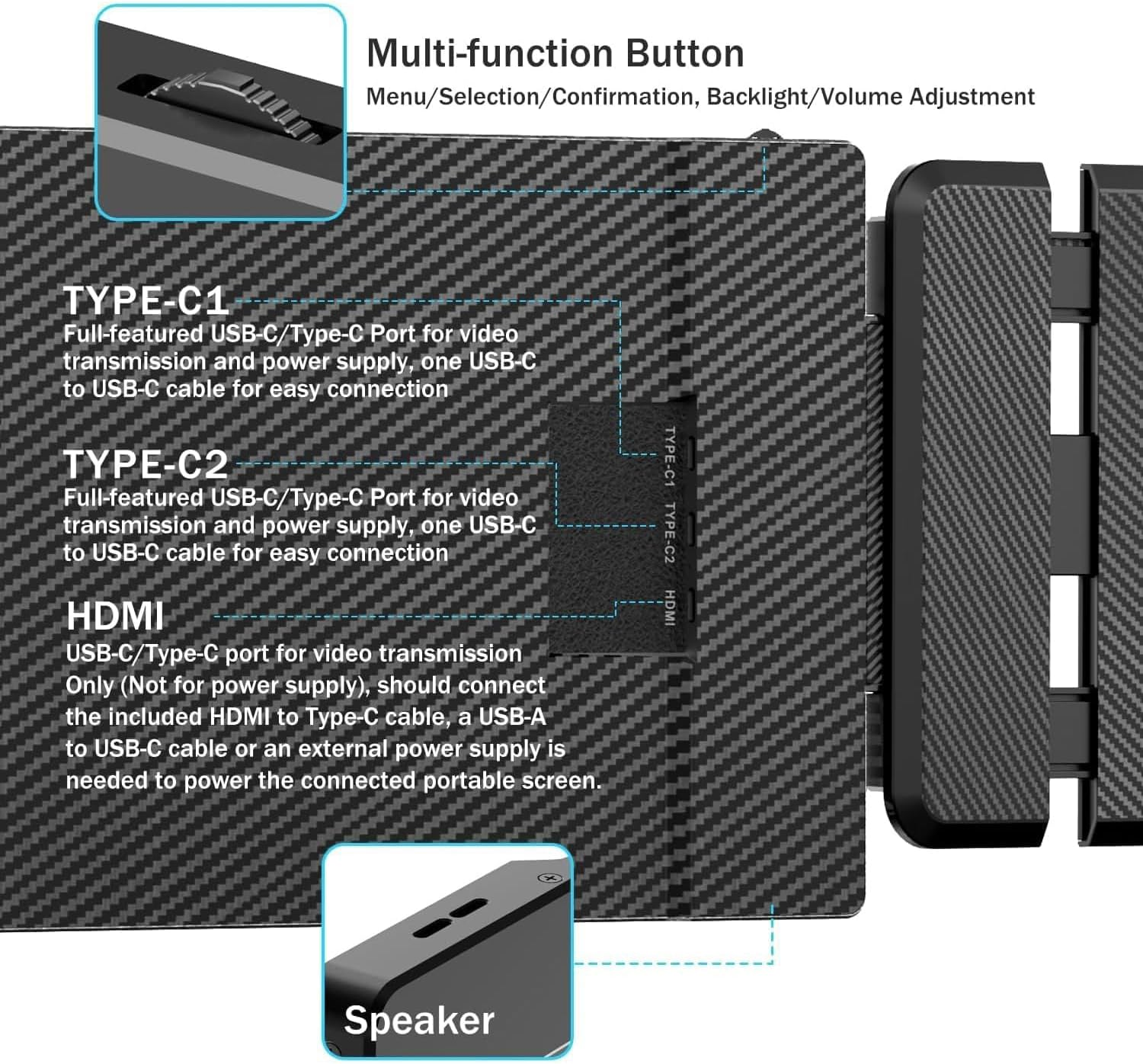
- Make sure the USB-C port on your laptop is full-founctioned (support charge and data transmit), and USB-C cable on the right port (TOP or Middle port with TYPE-C1 & TYPE-C2 marked) of the triple screen extender.
Use one HDMI to USB-C & one USB-A to USB-C cables + one USB-C to USB-C cable -- 3 cables connection:
- Charge the USB-C to USB-C cable to laptop's full-featured USB-C port(support charge and data transmit), charge the other side to Monitor's Right side TOP or Middle port with TYPE-C1 & TYPE-C2 marked port.
- Charge one HDMI to USB-C cable to Left side Monitor's BOTTOM port with HDMI marked of the screen extender(There's font identification).
- Charge an extra USB-A to USB-C cable to connect your laptop and the Left side Monitor(TOP or Middle port with TYPE-C1 & TYPE-C2 marked) to power on the screen extender, then active your laptop after connected.
Common Problem Solutions of this Laptop Screen Extender
Q: Screen Display "No Signal"
USB-C cable Connection:
- Make sure the USB-C port on your laptop is full-founctioned, and charge the USB-C cable on the right port (TYPE-C1 & TYPE-C2 marked) of the laptop screen extender.
- Make sure your laptop is not the M1/M2/M3/M4 Chip MacBook Air/Pro, these laptop has the chip limitted, do not allow three screen at the same time
HDMI cable Connection:
- Check the back of the laptop monitor extender,make sure you have charge the HDMI to USB-C cable in the Type-C port with HDMI marked of the screen extender(There's font identification).
- Connect another USB-A to USB-C cable to your laptop and the portable monitor extender to power supply, then active your laptop after connected.
Q: Screen Flickers & Black Screen or not light up after connecting?
- Make sure you have charge the cable in the right port of the laptop monitor extender, and if use the HDMI cable, please add extra USB-A to USB-C cable to power supply.
- It may be that your laptop is low battery or voltage is insufficient, use an charge cable to charing your laptop or an extra USB-A to USB-C cable to power the monitor extender. You can also charge the monitor with an extra power supply(Wall charger) that provide 5V/2A or above.
- Make sure your laptop is not M1, M2 and M3,M4 chip MacBook Air/Pro, this S3 laptop screen extender can not work with M1/M2/M3/M4 chip directly, need buy the customized H5-T video signal conversion cable.
- Please activate your laptop screen, avoid putting your computer to sleep.
- Image Aspect Ratio: 16:9
- Screen Resolution: 1920x1080
- Image contrast ratio: 1000:1
- Product dimensions: 24.38 x 39.12 x 8.64 cm; 1.62 kg
- Viewing angle: 178 Degrees
- Colour Screen: Yes
- Processor Count: 1
- Aspect Ratio: 16:9
- Brand: PTEROMYS
- Image brightness: 300
- Model Name: PTEROMYS S2
- Response Time: 5 Milliseconds
- Hardware Interface: HDMI, Thunderbolt, USB 2.0, USB 3.0, USB Docking Station, USB Type C
- Manufacturer: PTEROMYS
- Item Model Number: 14" Triple Screen
- Mounting type: Desk Mount, Panel Mount
- Batteries Included: No
- Batteries Required: No
- Refresh rate: 60 Hz
- Connector Type: HDMI, USB Type C
- Item Weight: 1.62 kg
- Standing screen display size: 14 Inches
- Special Features: Portable
- Resolution: 1920 x 1080 Pixels
- Model: 14" Triple Screen
- Part Number: 001
- Display Type: LCD
- Total USB ports: 2
- Number of items: 1
- Mounting Hardware: 1* Triple Monitor Extender(Laptop not included), 1*PU Leather Carry Bag+1* User Manual, 2* HDMI to USB-C Cable, 2* USB-A to USB-C Cable, 2* USB-C to USB-C Cable
- Scanner Resolution: FHD 1080p
- Maximum vertical resolution: 1080 Pixels
- Actual viewing angle: 178 Degrees
- Display Technology: LCD
A$173.10
Shipping to Australia
Delivery time varies by location
Return & Refund Policy
Check our return & refund policy
Security & Privacy
Safe payments: We do not share your personal
details
Availability:
-
This item is currently not available
Sign
in
or create an eMega account
Shop smarter — get exclusive deals & order
tracking